Introduction
When you receive a new license key file, you can update System Frontier at any time to have the new license take effect immediately.
Obtain the license key
Your license key zip file will arrive as an attachment via email from an @noxigen.com email address.
Unzip the file and open it with your preferred text editor. It will look something like this.
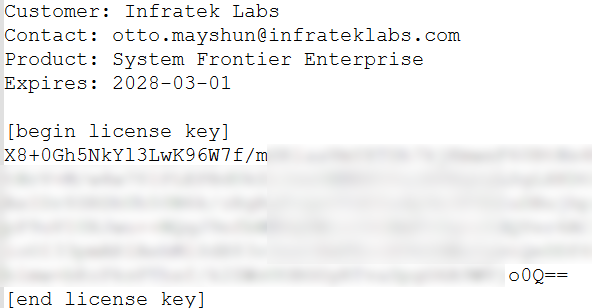
Copy the license key text between the [begin license key] and [end license key] sections.
Activate the license key
From the System Frontier web interface, navigate to Settings > More… > License key
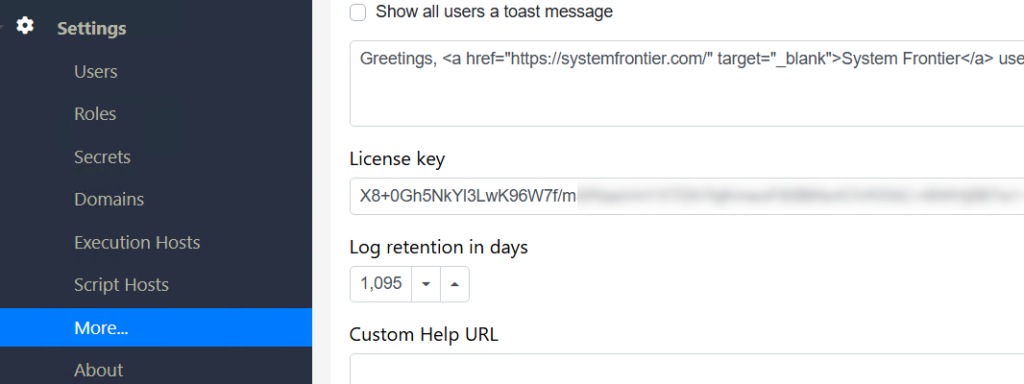
Select the existing key text and paste the new license key to replace it.
Scroll to the bottom of the page and click Save.
The application pool for System Frontier will need to be recycled on every web server for the license to take effect.
Verify that the new key has taken effect by navigating to Settings > About